
Recently, some major email service providers experienced technical difficulties that may have delayed or prevented the delivery of Multi-Factor Authentication (MFA) codes.
Please be advised that these disruptions originated with the external email providers and were not caused by an issue within our internal systems. Most services have now stabilized, and you should be able to receive these security codes as usual.
Did you know the LMS has the ability to deliver MFA codes via SMS text and Authenticator app as well as email?
In addition to the default email option (required for the initial login), you can add SMS text and/or an authenticator application as alternate methods for receiving your MFA code.
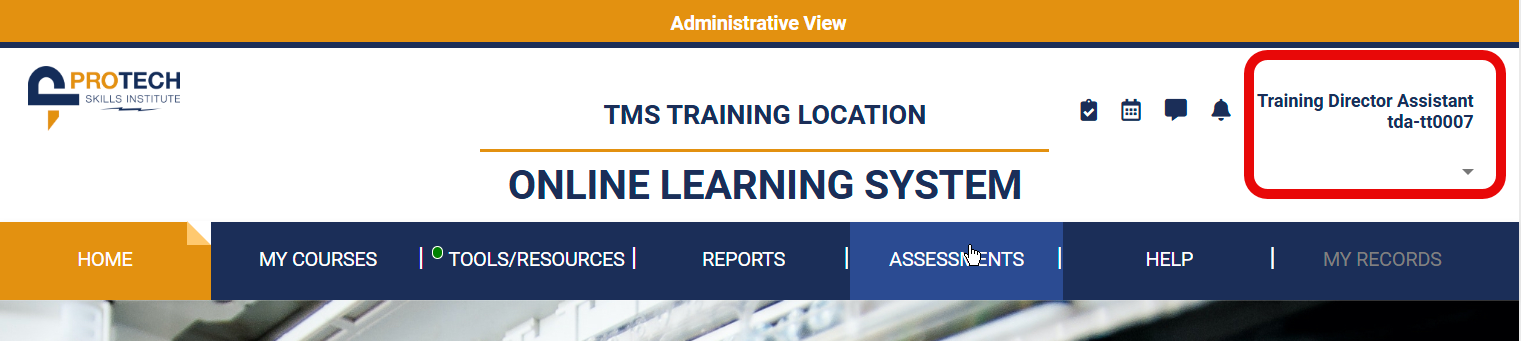
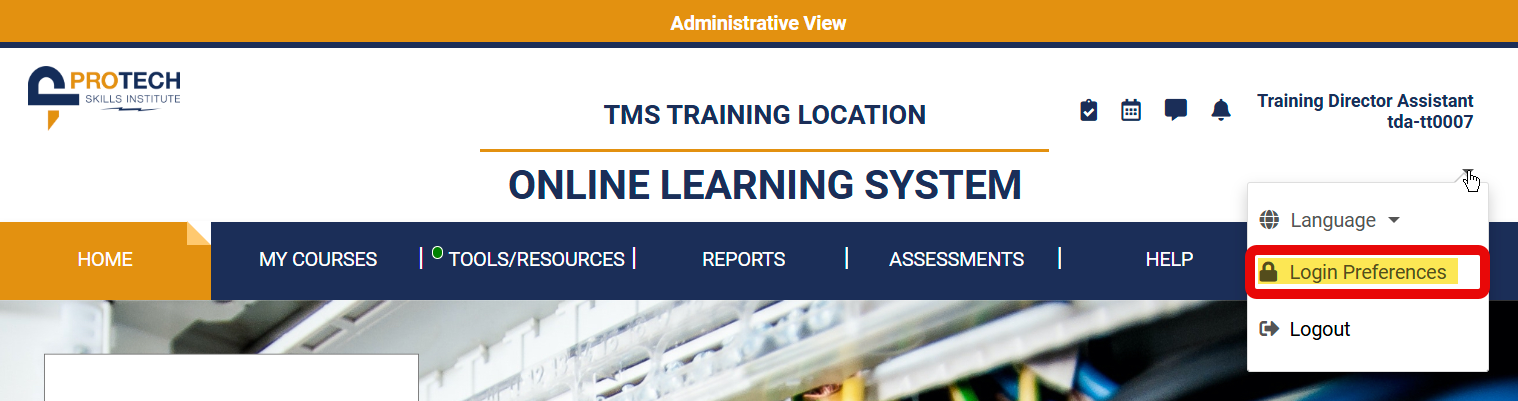
Once you have logged in via the default (email) method, simply click the down arrow next to your name at the top right of the Online Learning System Homepage and select Login Preferences (shown below, click to enlarge).
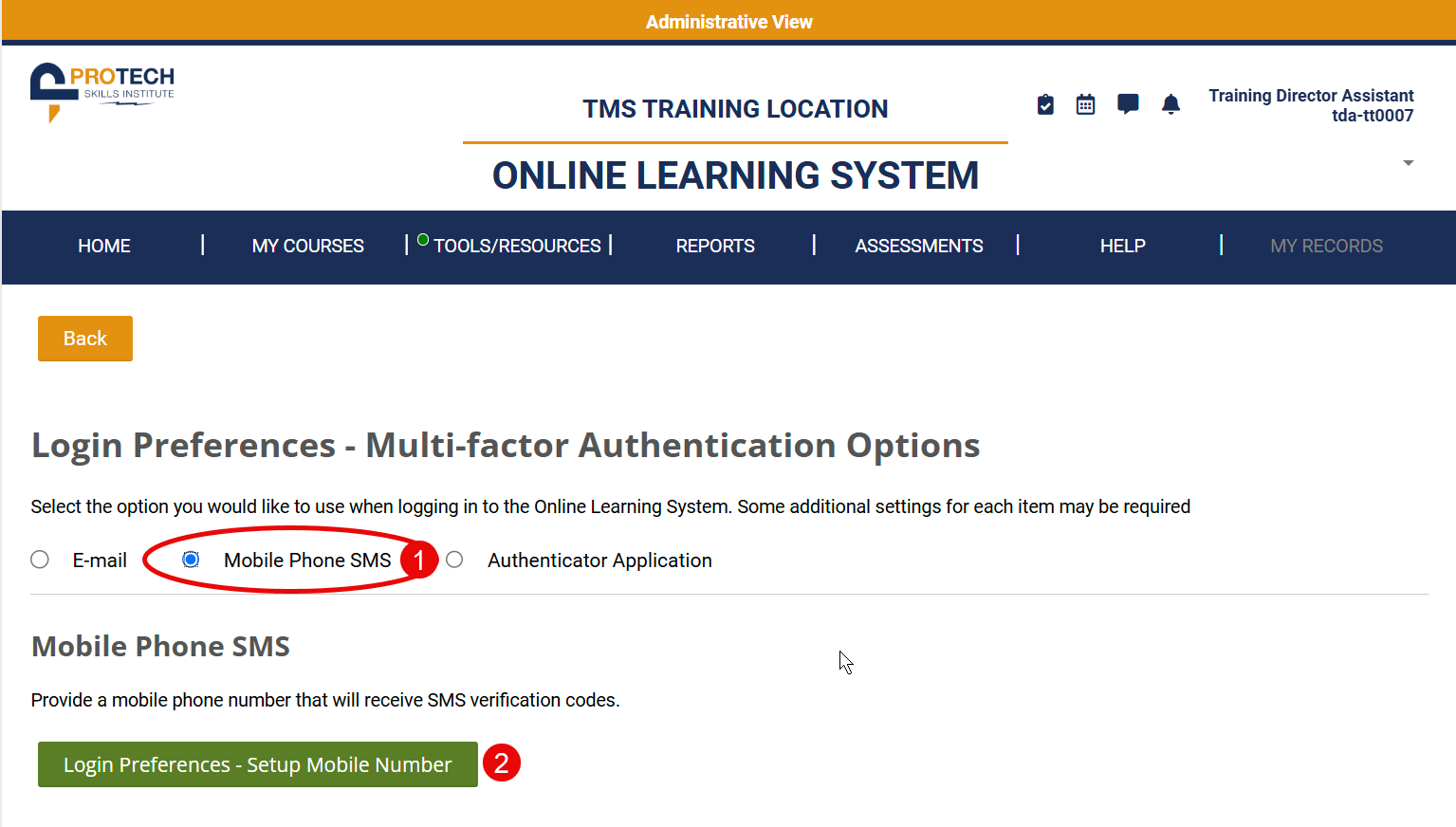
Simply click the radio button next to either Mobile Phone SMS (shown below) or Authenticator Application (not shown, varies by application) and follow the instructions to add them to the options available to you.
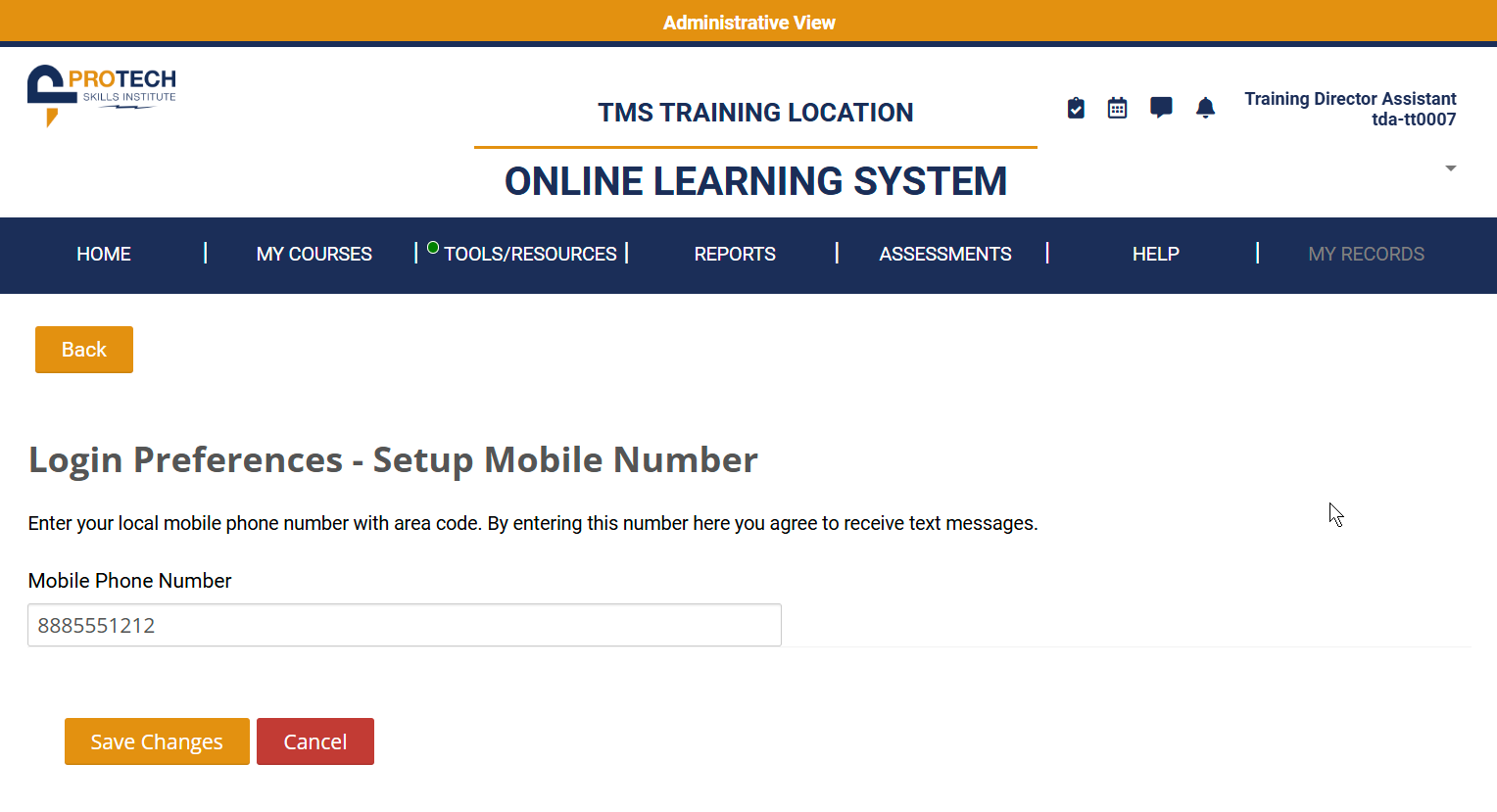
Now, whenever you login, you will have the choice to select whichever method is most convenient to receive your MFA code!