
- Can’t see a lesson question or know how to interact with it?

- Wanting to know why the Learning Management System or content is as it is?
- Not sure what device or browser is best?
- Needing to allow popups or update Flash?
- Wondering how to configure reports to display what you are looking for?
- Looking to understand Blended Learning?
- Hoping to find answers quick?
- Looking for training?
Instrumentation curriculum update
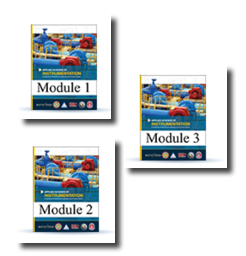
As the rollout of the revised instrumentation curriculum continues, improvements have been made based on instructor’s recommendations. (more…)
Learning management system was down for a few minutes – 9.11.17
This message is to inform you that we did have an issue with our Blended Learning LMS today. The system was down from 10:20am Eastern to 10:29am Eastern. We identified the root cause of the disturbance and enacted procedures going forward that will remove the possibility of a reoccurrence.
We sincerely apologize for the inconvenience this may have caused.
Please have a great rest of your week.
LMS Training, Resources, Computer Specs and Links — Updated
This post offers a few links to some resources that may be used to empower your Blended Learning training efforts. Some of these have been here for a while, some have been updated and a couple have been added for this, the latest edition of the post. There are currently 8 items that have been found to be useful, especially for those new to Learning Management Systems, new to it’s use as a student or administrator, or just in need of a specific tool — including how to enable Flash. Click on the image next to each explanation of the items to download. The 8 items are
Temporary Solution for Password Reset Feature


An odd look will appear along the left hand column of the LMS for Training Directors, Assistant Training Directors and Instructors, while we work to modify an LMS theme issue. The issue revolves around the lack of a password changing feature for users — See Red Image on the right. Access to the feature is now again available, but the settings ribbon is duplicated for the above mentioned user roles. Students will only see the one ribbon so it will look correct — See Blue image on the Left. Users will once again be able to manage their passwords as they previously could. Thank you for your patience with the odd look for administration staff, it will be fully resolved as soon as possible.
2017 Catalog Headed to Print and Now Available by PDF

The 2017 Catalog is now available via download from the electrical training ALLIANCE website in the downloads area. Printed versions are on the way to your program soon.
Maintenance and Upgrade of the LMS Completed
 The Blended Learning Management System went through, and completed,
  a large phase of maintenance and updates this weekend, as you may have seen by the notification that had been posted on the login pages for the last month-plus.
(more…)
CLCS and Catalog PDF to be completed soon
The following message from our Customer Service Specialist – Mr. Steve Strickland, is a great update as to where we are in our process of delivering the current curriculum information.
“We are working to get the catalog posted on the website ASAP. The printed copy will be sent to all JATC’s as soon as it is completed. The bookstore and LMS have both been updated for the new school year.”
A few notes follow: (more…)
Instrumentation Blended Learning Update
The instrumentation curriculum has undergone a textbook revision, which resulted in the creation of the new Applied Science of Instrumentation textbook. Along with the new textbook, 3 Blended Learning courses, for use at both the journeyman and apprentice level, have been placed into the LMS.
Apprenticeship test generator exam questions and course credit allocation will be completed soon. Read on for descriptions of the 3  courses.
Numerical Input Question Tolerance Addition Update – June ’17
As of Thursday, June 1st, 2017, the tolerance of + or – 2.5 % has been applied to the numerical input questions in all levels of the Code Calculations courses. Read on for the list of courses that include tolerance for numerical input questions and the date that it was applied.