
I wanted to follow up as we near the completion of the CML Module Update.
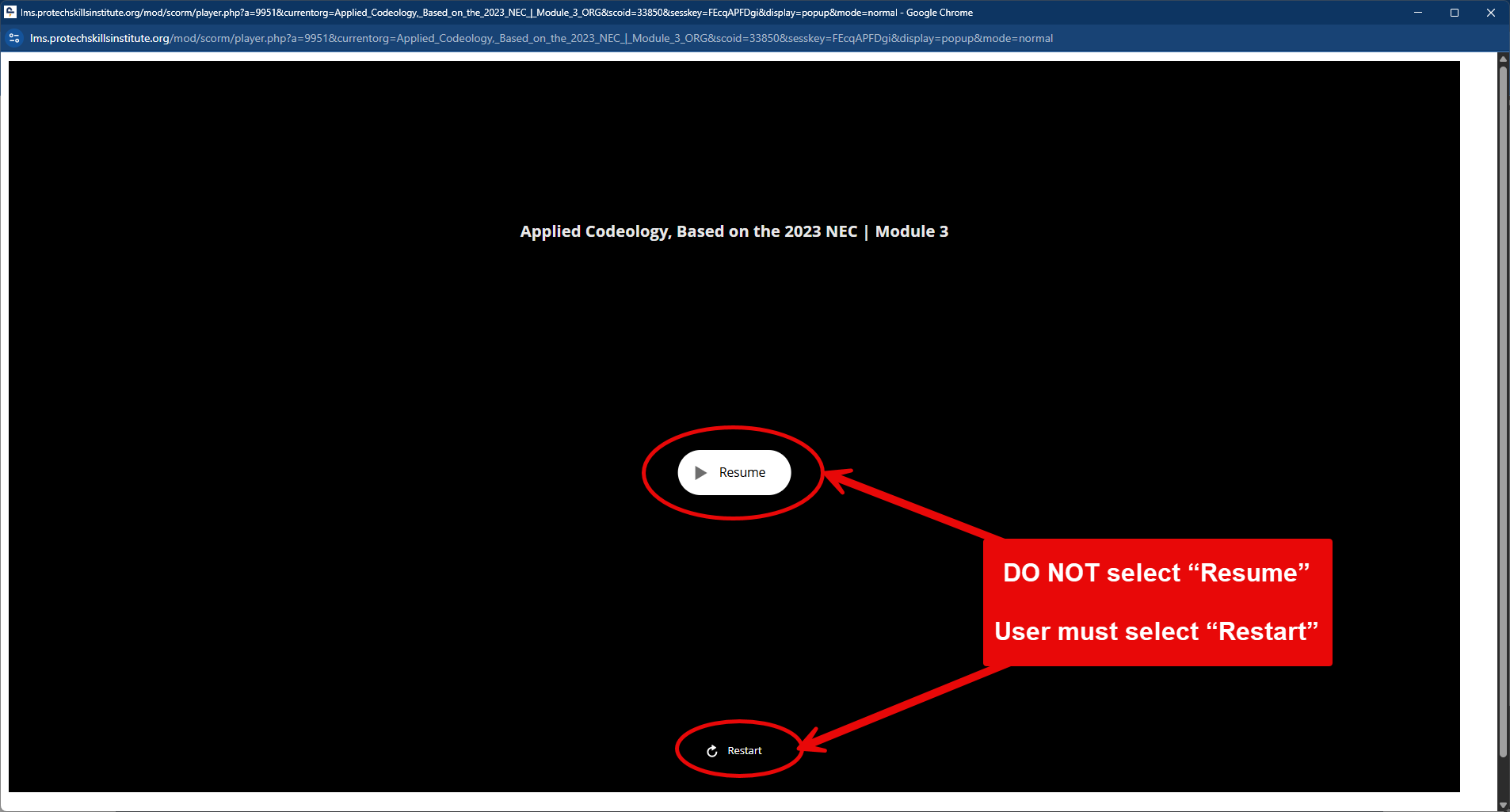
As a consequence of the update, users who have already been in a particular module will see a slide asking them if they want to resume or restart.
If they select Resume, the slide in the module will not do anything.
They must click Restart to reset the module.
Here is an example of the first slide asking to Resume or Restart (notice how Restart is really small and at the bottom?). Clicking the big white Resume button will take them to this next slide where the Yes and No buttons do absolutely nothing. (See screenshots)
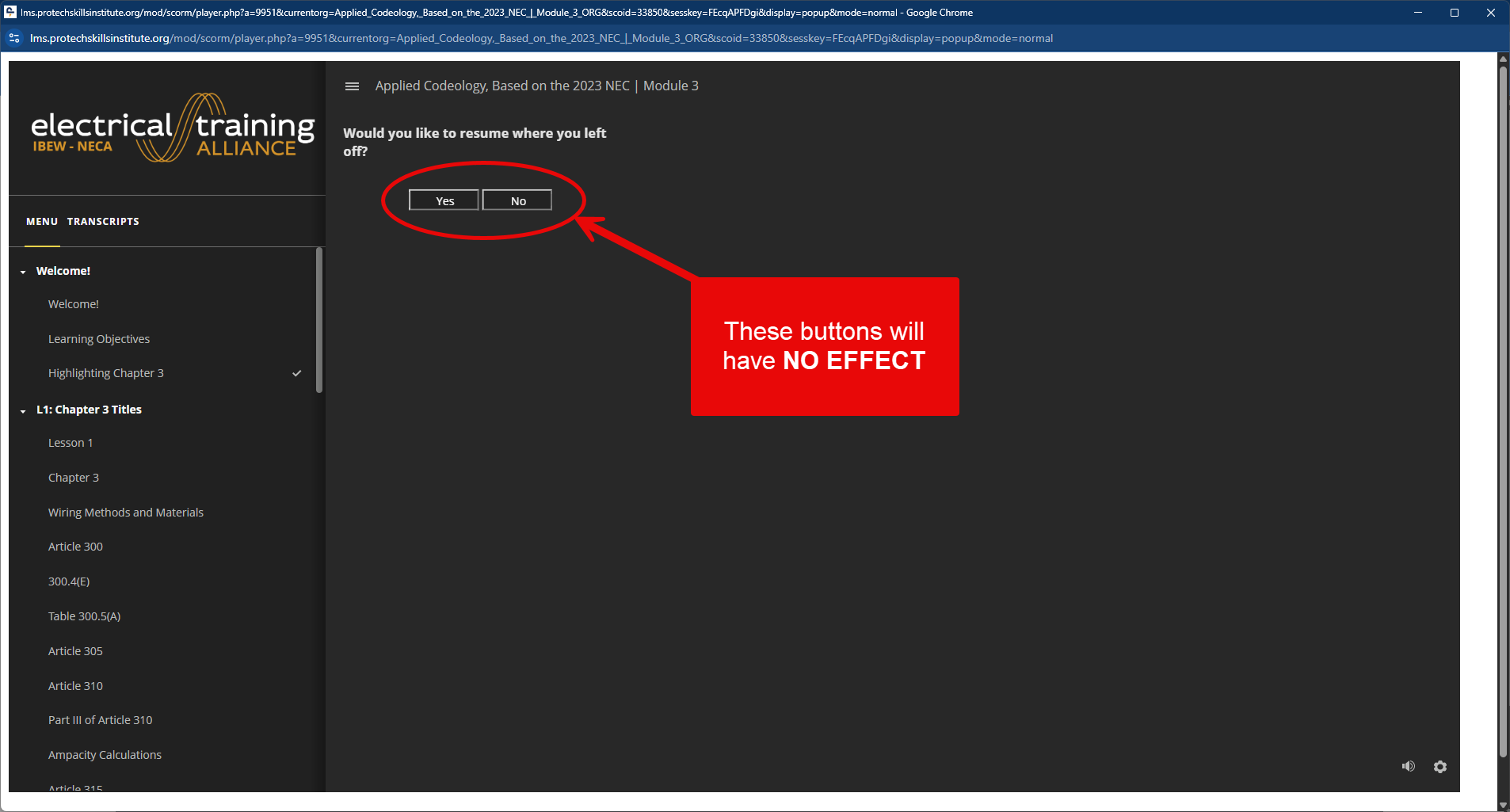
Users that encounter this situation need to close the module, relaunch it and select Restart. This will only need to be done the first time a user accesses one of the replaced modules.
This does not affect module completion. If the module was complete prior to the update, the completion status will be retained.
Also, anyone who gets a blank screen, garbled data, or anything else out of the ordinary should try the following:
- Log out of the LMS
- Clear their browser cache completely. Not just the data for the LMS. You can find instructions HERE
- Select all time, not just a specific timeframe. ALL historical data must be cleared.
- Make sure that Data and Cookies at a minimum are selected.
- Close and restart the browser after the cache is cleared.
Continue to watch this space if additional idiosyncrasies are found.
Jim Stover | Director, TMS